I was thinking it would be similar to tetris, I like the idea of building blocks. I was trying to setup on covering all square blocks to check if I can win the game. One issue that I've encountered when the long blocks was hit by the square box it fell and the goal of completely filling up all square boxes was now impossible for me because the blocks collided and has dropped. I like that there was a space bar to make it faster to fall at first I thought I just need to wait and the camera movement too was working well. At first because I didn't read the controls I was trying to fill out all the square boxes without rotating the camera. Here is the screenshot I was able to have 49 blocks spawned. Overall nice job.
Thank you so much for taking the time to play, screenshot and give feedback to my game.
I really like your idea, I wish I had thought of that. I could make better-designed blocks with lights on them like the long bock, and they could flash when you get a 3D tetris.
This is a jam game and I have run out of time and energy. So I have cobbled together a speed tower-building game. But I defiantly want to start again and follow your idea since I have already done all the hard programming work.
Your long blocks can pierce your square blocks if the square blocks are flipped to their sides. I felt like I wanted the pieces to topple, there is visual feeling like they were going to as I tried stacking them in weird ways hoping their weight would collapse them. I did get some to toppled over and lay diagonal. Some of the shapes get caught on the edges of other shapes and do not align to the grid. You can potentially block the entire play space by overlapping shapes in unexpected ways.
Maybe you could change the color of the bottom faces of the shape to show which section of the grid they will land on (which matters kind of less if you build up and don't see the grid anymore. When you click the grid to land it can be hard to tell which parts of the shapes are going to land on which part of the grid (dropping the long block after it is rotated to lay horizontal detects the grid drop at the 2nd cube of 4 in it's structure). Maybe highlight the bottom of the shape with a different color than its overall visual indicator of the overall shape? Also so you can see where the shape will land at on other blocks that were previously placed.
I built up high enough out of curiosity to see what the world looked like and I got to see the snowy mountain tops. I was surprised to see such a big world around the little play space. Kind of entertaining to me. I would add more random things to the environment (as looking at the world and wondering what I would find, was interesting). I really like the camera rotating with the right mouse button. I would have used this kind of control for my block mechanic game excluding the pausing of the time scale, if I would have thought to freely roam around on the rotation axis.
Thank you for taking the time to give feedback. I think some of the problems you were having with collisions were caused my my inexperience in transferring Blender models to Unity. I have thought of a better way of handling collisions but ran out of time. (this is a jam game)
I abandoned the grid system for unrestricted placement because I decided it would be easier to make a game where speed is more important than precision. But I am going to try again and make 3d tetris style game and I will remember your tips when I do this.
I'm glad you liked the mouse panning. I have changed the way this works in gameplay. But when you pause or lose the game you will be able to look around. I didn't add any new scenery though.
← Return to game
Comments
Log in with itch.io to leave a comment.
I was thinking it would be similar to tetris, I like the idea of building blocks. I was trying to setup on covering all square blocks to check if I can win the game. One issue that I've encountered when the long blocks was hit by the square box it fell and the goal of completely filling up all square boxes was now impossible for me because the blocks collided and has dropped. I like that there was a space bar to make it faster to fall at first I thought I just need to wait and the camera movement too was working well. At first because I didn't read the controls I was trying to fill out all the square boxes without rotating the camera. Here is the screenshot I was able to have 49 blocks spawned. Overall nice job.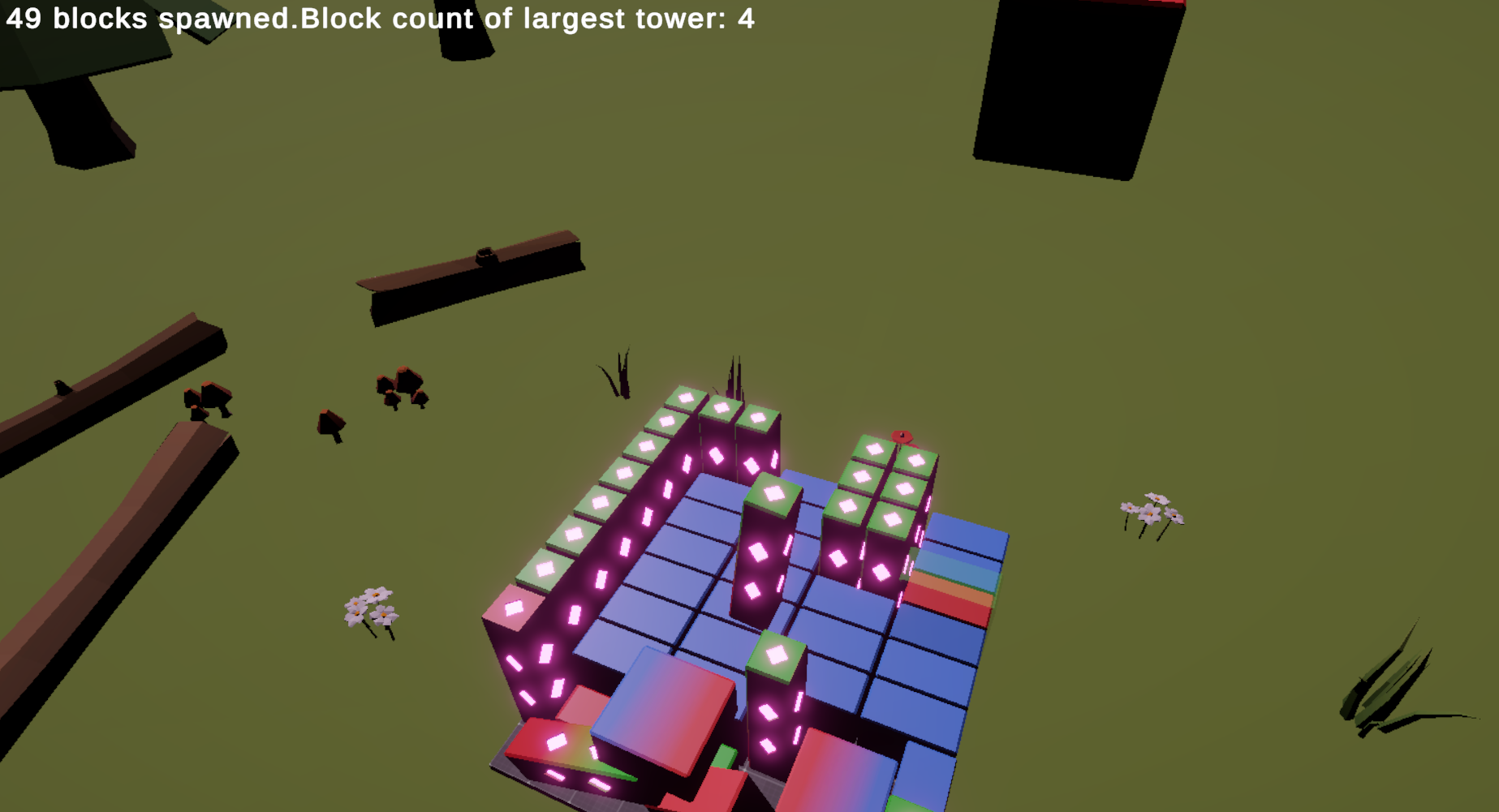
Thank you so much for taking the time to play, screenshot and give feedback to my game.
I really like your idea, I wish I had thought of that. I could make better-designed blocks with lights on them like the long bock, and they could flash when you get a 3D tetris.
This is a jam game and I have run out of time and energy. So I have cobbled together a speed tower-building game. But I defiantly want to start again and follow your idea since I have already done all the hard programming work.
Your long blocks can pierce your square blocks if the square blocks are flipped to their sides. I felt like I wanted the pieces to topple, there is visual feeling like they were going to as I tried stacking them in weird ways hoping their weight would collapse them. I did get some to toppled over and lay diagonal. Some of the shapes get caught on the edges of other shapes and do not align to the grid. You can potentially block the entire play space by overlapping shapes in unexpected ways.
Maybe you could change the color of the bottom faces of the shape to show which section of the grid they will land on (which matters kind of less if you build up and don't see the grid anymore. When you click the grid to land it can be hard to tell which parts of the shapes are going to land on which part of the grid (dropping the long block after it is rotated to lay horizontal detects the grid drop at the 2nd cube of 4 in it's structure). Maybe highlight the bottom of the shape with a different color than its overall visual indicator of the overall shape? Also so you can see where the shape will land at on other blocks that were previously placed.
I built up high enough out of curiosity to see what the world looked like and I got to see the snowy mountain tops. I was surprised to see such a big world around the little play space. Kind of entertaining to me. I would add more random things to the environment (as looking at the world and wondering what I would find, was interesting). I really like the camera rotating with the right mouse button. I would have used this kind of control for my block mechanic game excluding the pausing of the time scale, if I would have thought to freely roam around on the rotation axis.
Thank you for taking the time to give feedback. I think some of the problems you were having with collisions were caused my my inexperience in transferring Blender models to Unity. I have thought of a better way of handling collisions but ran out of time. (this is a jam game)
I abandoned the grid system for unrestricted placement because I decided it would be easier to make a game where speed is more important than precision. But I am going to try again and make 3d tetris style game and I will remember your tips when I do this.
I'm glad you liked the mouse panning. I have changed the way this works in gameplay. But when you pause or lose the game you will be able to look around. I didn't add any new scenery though.
Thanks again!